Project supervision intelligence

The supervision system for modern project teams.

Onvyr helps field and project teams structure work, track observations, build project knowledge, and turn supervision activity into clear reports.

Onvyr

Onvyr

project.team@onvyr.app

Projects/Newbuild Vessel NB-247

Newbuild Vessel NB-247

Yard Supervision

Project Overview

Command Center

Live yard activity, inspection signals, and supervision hotspots for Newbuild Vessel NB-247.

Open

5

Overdue

2

High Severity

1

Knowledge

Ready

Live Activity Strip

open · Fire damper tag missing · high · Accommodation deckopen · Cable tray support spacing · medium · Electrical roomreport · Newbuild supervision report 22 · issuedclosed · Watertight door gasket inspection · low · Main deckreference · Coating specification Rev. C · analyzed

Visual Insights

Activity, severity, and vessel area concentration.

13/5

0

14/5

1

15/5

0

16/5

2

17/5

1

18/5

3

19/5

2

Observation creation volume across the last 7 yard working days.

Most Active Area

Accommodation deck

4 observations currently map to this deck, making it the strongest supervision concentration point.

Areas

6

Assets

7

Reports

20

Latest Activity

Today

Recent Observation Picks

Fire damper tag missing

Accommodation deck · Fire dampers

high

Cable tray support spacing

Electrical room

medium

Operational Signals

Pressure Point

2 overdue open observations

Most Affected Asset

Cable tray route

Knowledge Layer

Vessel standards available

Reporting

20 yard reports available

Project Intelligence

Project

Ask AI

Ask project-specific questions and get fast supervision support from the current vessel context.

Mode

Ask something about this vessel newbuilding project...

Quick prompts

Conversation

Project Health

Health & Risk Signals

Current closure progress, risk pressure, severity distribution, and vessel structure readiness for the selected newbuild project.

Open 5Closed 2Reports 20
Medium Risk

22%

Closure rate

The vessel has active higher-priority observations across outfitting, machinery access, and electrical installation that need monitoring before the next yard walkdown.

Overdue

2

High Severity

1

Areas

6

Assets

7

Progress toward closure22% complete

Open vs Closed

5 / 2

Open 71%Closed 29%

Overdue Pressure

40% of open

2 overdue observations currently require yard follow-up.

Knowledge Readiness

Available

Ready

The vessel knowledge layer is available and can support stronger AI and reporting guidance.

Severity Distribution

Open vessel observations grouped by current severity level.

5 open severity-tracked items

High

1

20% of tracked open severity items

Medium

4

80% of tracked open severity items

Low

0

0% of tracked open severity items

Structure Signal

6 vessel areas and 7 assets

The vessel structure is already defined and can support more traceable inspection reporting and asset-based follow-up.

Reports available

20

Supervision, connected

A project workspace built for supervision work that has to stay traceable.

FIG 01

Structure before noise

Areas, assets, observations, reports, and knowledge stay connected instead of becoming separate project fragments.

FIG 02

Signals stay visible

Open work, severity, follow-up, and project context remain visible before small issues disappear into daily activity.

FIG 03

Reports inherit context

Reports are generated from the work already recorded, with structure, observations, and reference knowledge carried forward.

Feature workflows

Built around the way supervision actually happens.

Onvyr connects structure, observations, reports, and knowledge into one continuous workflow instead of scattering project evidence across disconnected tools.

Areas & Assets

Start with the real project structure.

Map vessel areas, systems, equipment, rooms, and inspection zones before observations start piling up.

Structure Explorer

Explore the project map

Browse vessel areas, linked assets, and the observations attached to each part of the structure.

Smart ClustersStructure
Search areas, assets, observations, codes, types, descriptions...

Area

Accommodation deck
No codeActive structure
2 assets1 observation1 high severity
Issue load1 open

1 high-severity item inside 1 open observation.

Asset

Fire dampers
HVACHigh severity linked
1 observation1 open
Issue load1 open

Observation

Fire damper tag missing

Missing tag on accommodation deck ventilation line. Needs verification before closure.

openhigh

Asset

Ventilation line
HVACNo active issues

Create Observation

Every finding stays connected to the structure.

Create observations with area, asset, severity, assignment, due date, and automation logic that keeps priority work visible.
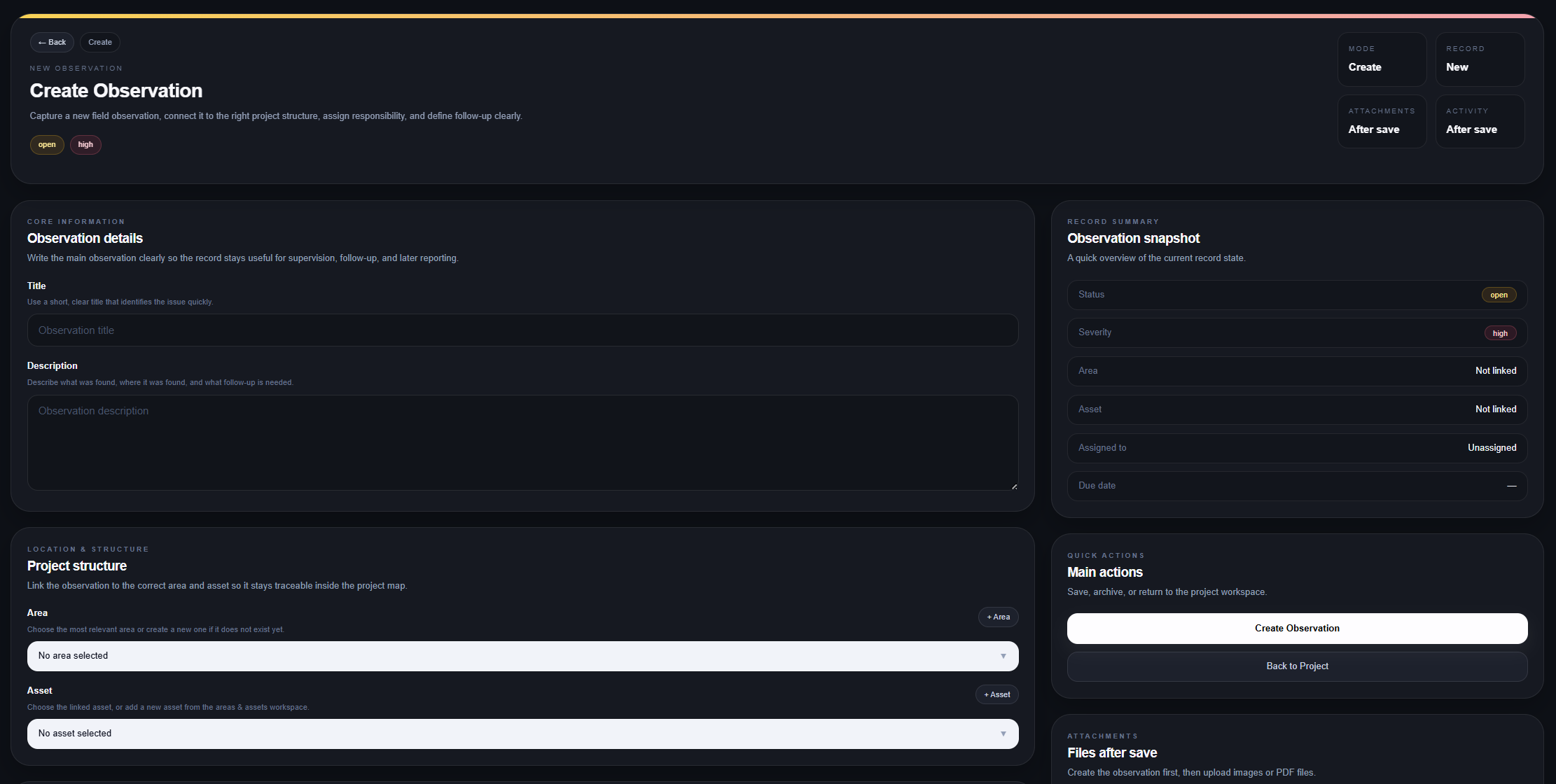
Create Observation

Connect the finding before it becomes noise.

Observations become useful when they are tied to structure, status, and inspection requirements.

New

Core Information

Fire damper tag missing

Missing tag on accommodation deck ventilation line. Needs verification before closure.

Location & Structure

Linked

Area

Accommodation deck

Asset

Fire dampers

Choose area

Choose asset

Status Control

Current state

Define whether the observation is still open and, if needed, how severe it is.

Status

Set whether this observation is still active or resolved.

Severity

Indicate the current importance while open.

ITP Link

AI suggested match

Ventilation fire damper identification

Suggested from the observation content and linked structure.

ITP stateLinked

Report Generation

Build reports from the work already recorded.

Select observations, choose the reporting format, refine the narrative, and generate a report from structured project context.
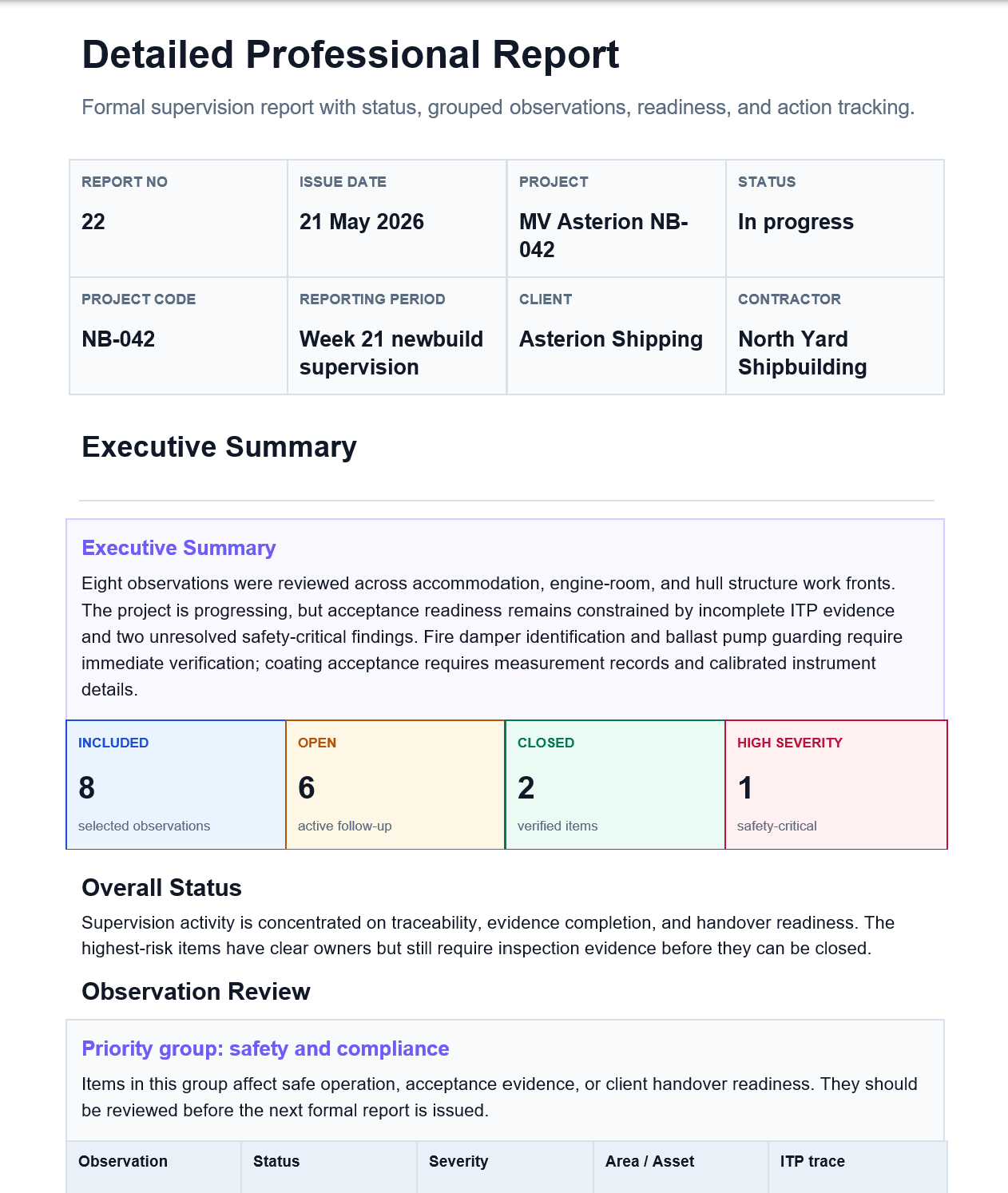
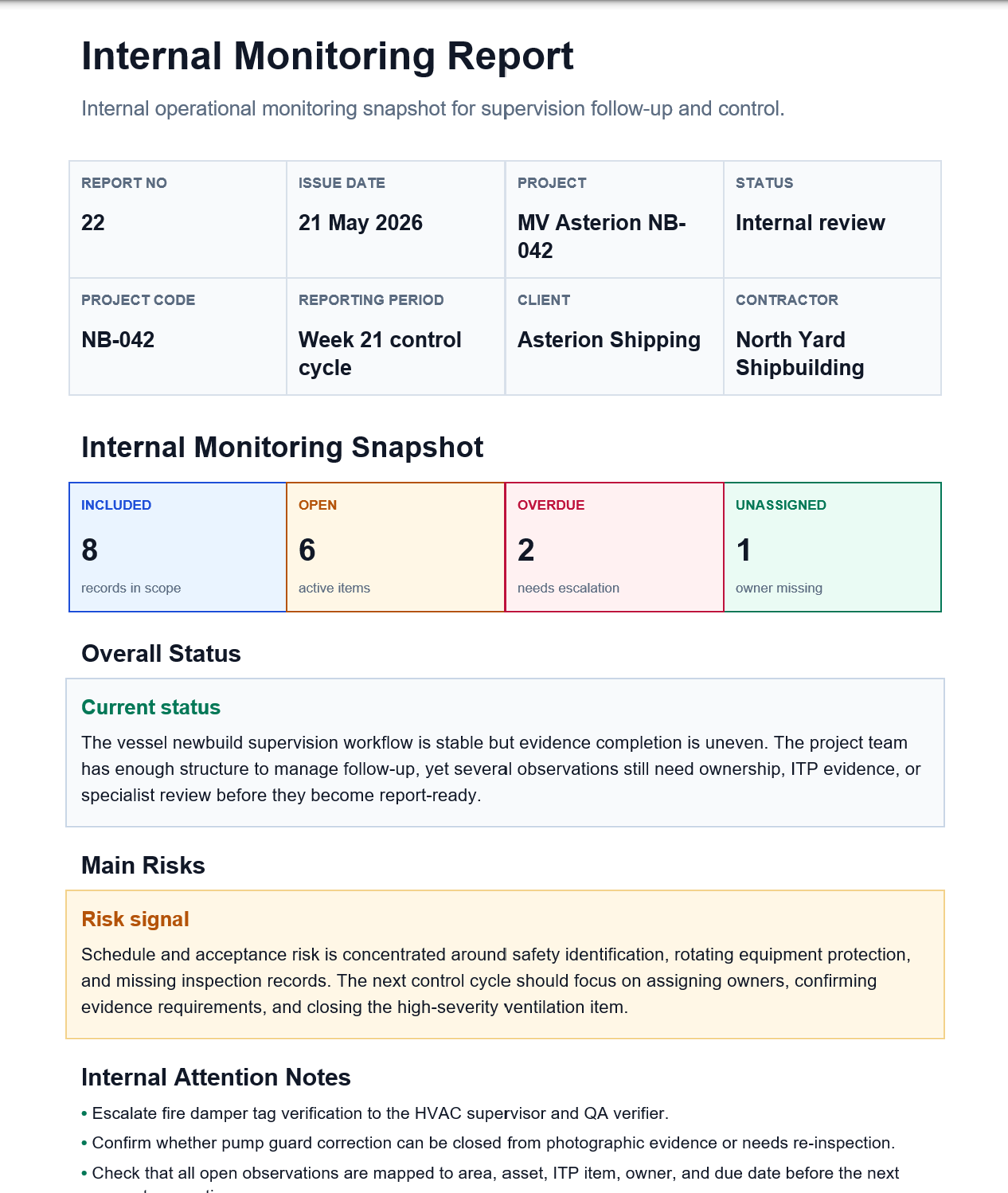
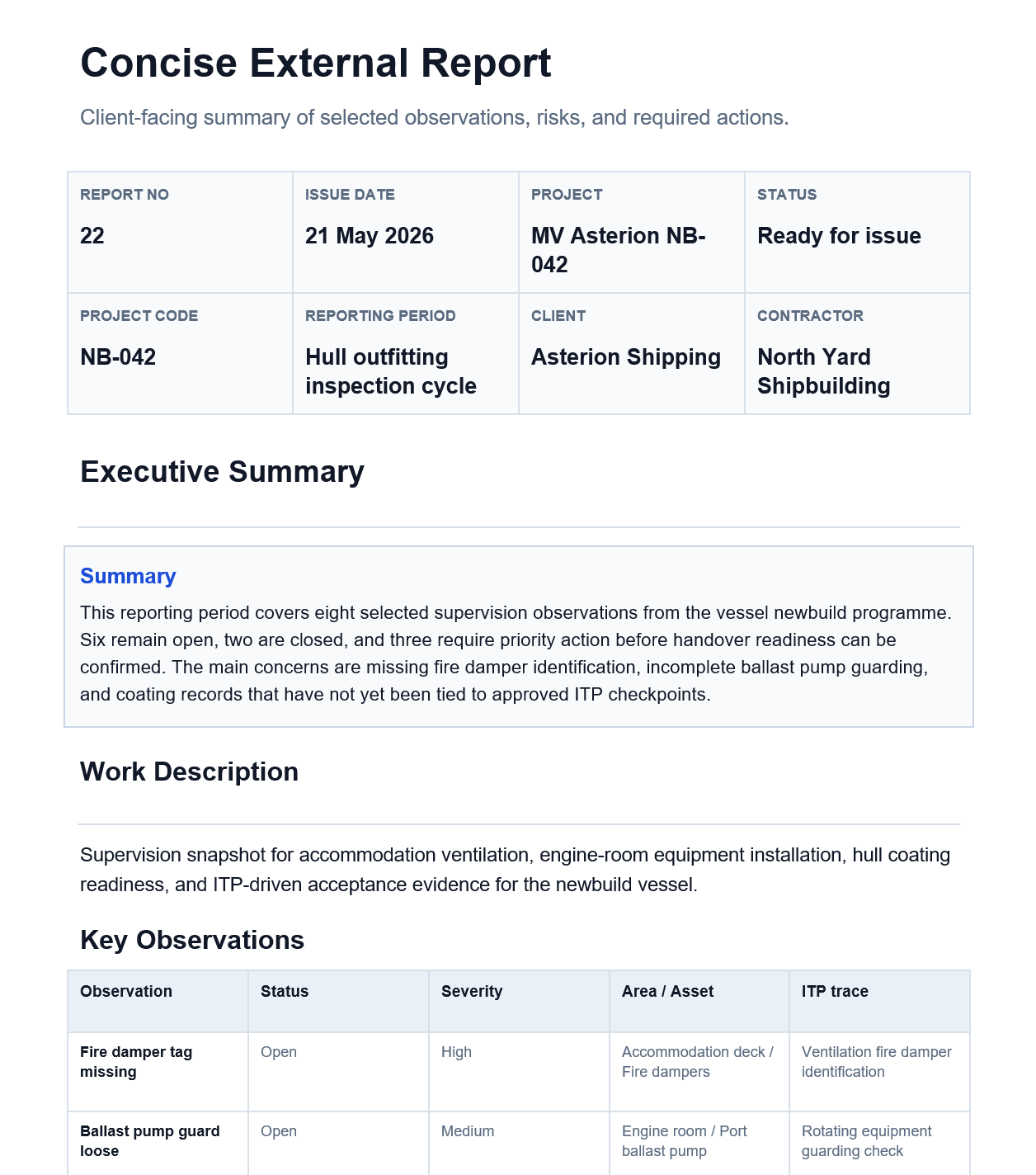
ReportConcise External

Newbuild supervision report 22

Build the report scope, select the output format, and generate a structured report from recorded project work.

Included1
Open1
OutputPending

Scope Builder

Available observations

Add field records that belong to this reporting period.

Recent

Ballast pump guard loose

openmedium
Area: Engine roomAsset: Port ballast pump

Current Scope

Included observations
1 included

Fire damper tag missing

Accommodation deck · Fire dampers

Linked ITP

Ventilation fire damper identification

Report Format

Output style

Project Knowledge

Give the project its intelligence layer.

Upload ITPs, specifications, checklists, and standards so reporting and AI assistance work from the same source of truth.

Knowledge Workspace

Build project knowledge

Upload ITPs, specifications, checklists, and instructions. Onvyr turns them into a reusable project intelligence layer.

Not built

Selected

0

Analyzed

0

Profile

Pending

Reference Upload

Select reference files

Choose the documents that define the project rules, inspection requirements, and reporting context.

No files selected

Open the file picker to select reference documents.

Knowledge Profile

Ready to analyze

Build a reusable knowledge layer from the selected project documents.

Mobile companion

Keep supervision moving from the field.

Open the mobile view on site to check the project signal, review open work, jump into structure, and create the next observation without returning to the desk.

Review the current project signal
See open observations and high-severity work
Jump into observations, structure, and reports
Create field records from quick actions
Onvyr

Onvyr

project.team@onvyr.app

Projects / Newbuild Vessel NB-247

Newbuild Vessel NB-247

In Progress

Project Control

Vessel NB-247

Mobile supervision summary for the current project state.

Active follow-up

Current Signal

High severity work exists

Open

5

Knowledge profile

Ready

High

1

High-severity open items

Structure

13

Areas and assets

Reports

22

Created reports

Areas

6

Active project areas

Project Intelligence

Ask AI

Ask project-specific questions and get fast supervision support from the current project context.

Project

Mode

Project question

Ask something about this project...

Quick prompts

What are the highest-risk open observations in this project?

Conversation

Start structured

Bring structure to project supervision.

Start with one project workspace. Add areas, assets, observations, reports, and knowledge as the project grows.